Giving My First Pitch at 1 Million Cups using a Custom Mobile App
How I built a presentation timer to pace my first live pitch, and walked out with connections to local manufacturers.
Contents
Try the timer yourself
preso.wetfish.net →The Pitch
Last week I gave my first live pitch for Andon Alert at 1 Million Cups in Fort Collins, Colorado. I walked out with connections to a local business accelerator, an introduction to a shared manufacturing facility full of exactly the kind of small manufacturers we're building for, and a presentation tool that other people are already using.
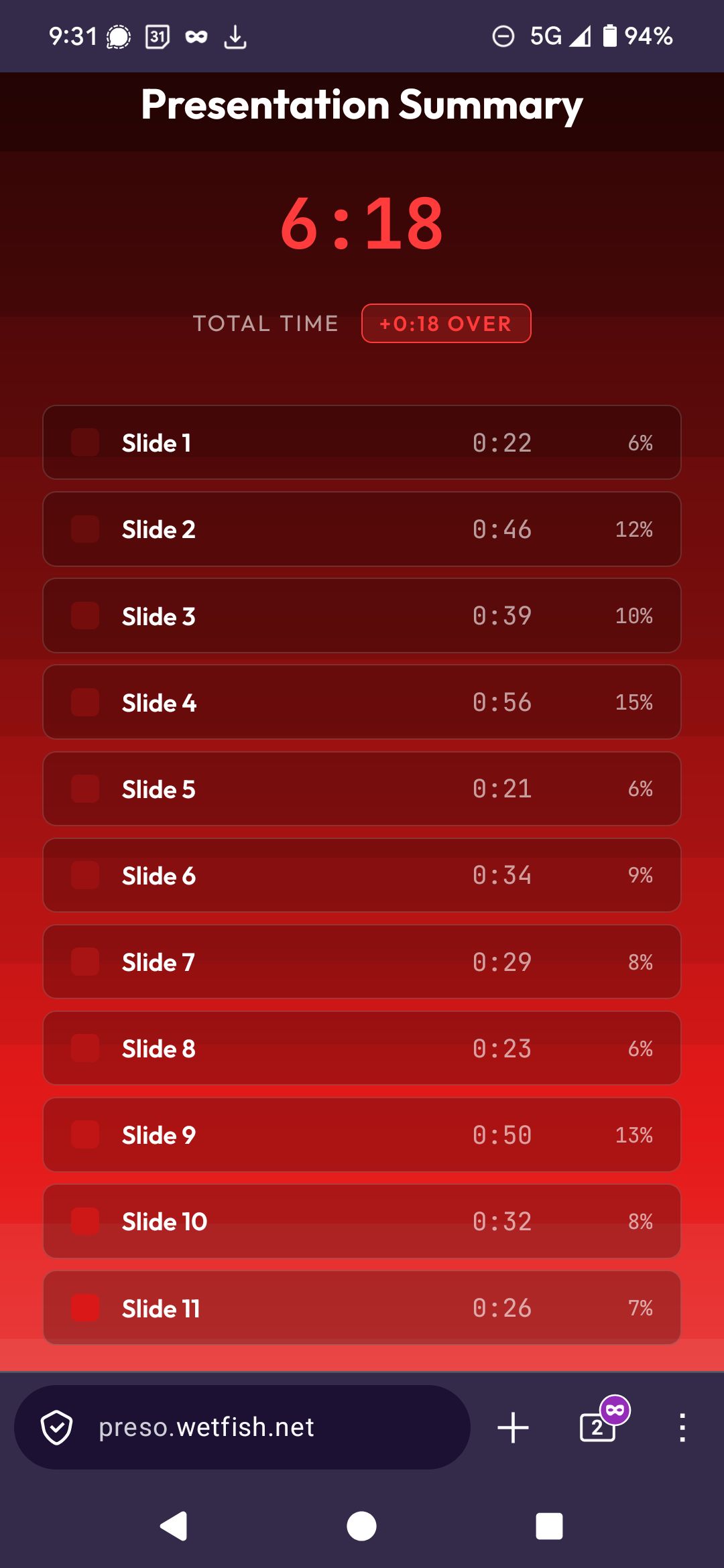
The format at 1 Million Cups is strict: 6 minutes to present, then 15 minutes of Q&A. I had 11 slides to get through and wanted to see at a glance how well I was pacing myself. Most slide timer apps are barebones: they give you a countdown and not much else. I wanted to see how my time was distributed across slides as the presentation happened, and I wanted it to be beautiful.
So I built exactly that. You can try it yourself at preso.wetfish.net.
How It Works
The app is a single HTML file with no dependencies, designed to run on mobile. You enter your total time and slide count, then tap your phone screen to advance slides as you present.
The background is a canvas that fills from top to bottom with a dark-to-bright red gradient as time elapses. The brightness comes from two sources: a smooth time-based gradient that gets slightly brighter with every row of pixels drawn, and a step increase each time you advance slides. The result is a visual timeline where you can see, at a glance, which slides you spent the most time on. Wide bands mean you lingered. Thin bands mean you moved fast.
The Overtime Mechanic
If you go overtime, the screen starts filling with solid white from the top at the same rate as your total presentation time, creating immediate visual pressure to wrap up. The text inverts automatically so it stays readable against both red and white backgrounds.
When you finish, a summary screen breaks down exactly how long you spent on each slide.
Some Interesting Technical Problems
Two problems stood out during development:
📱 Mobile gradient banding
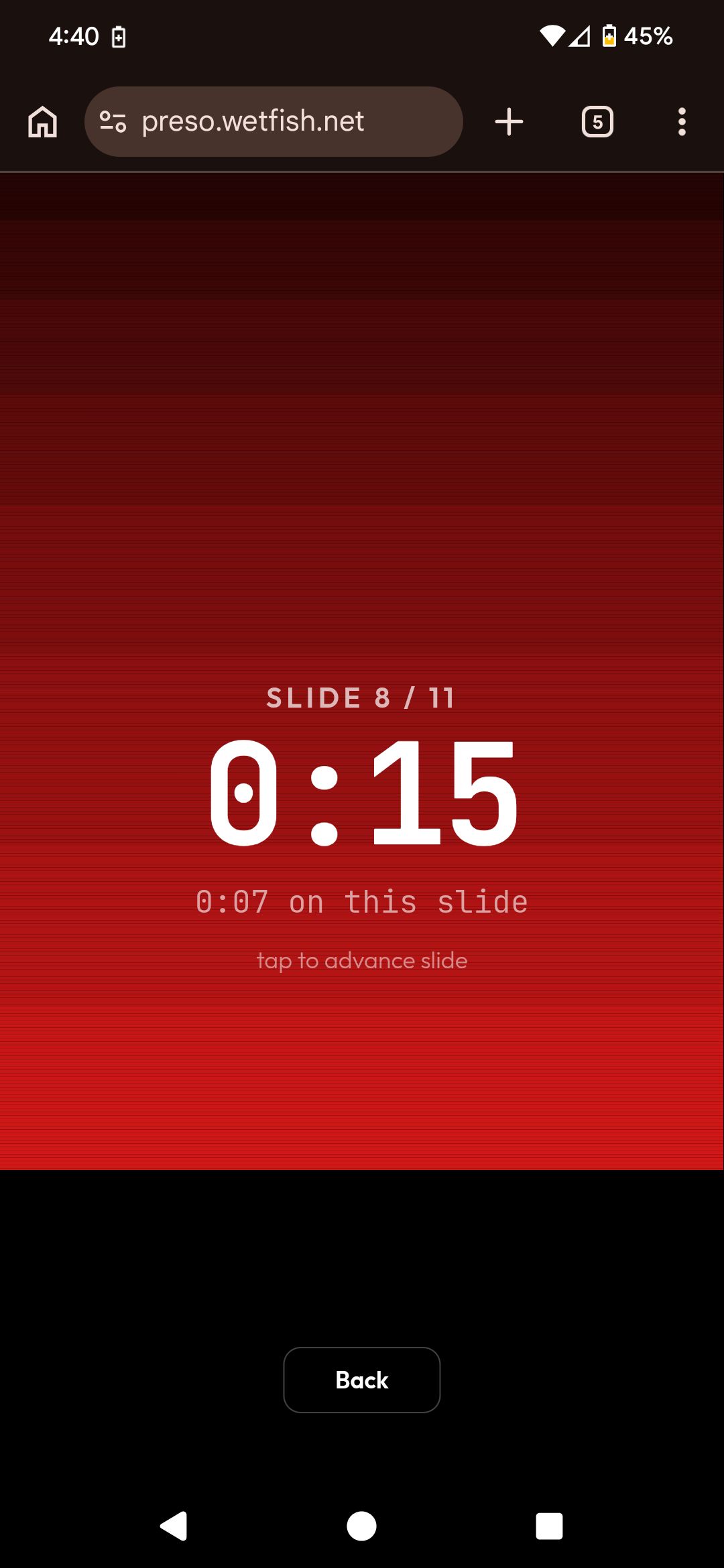
The first version drew the gradient using fillRect in a loop with 2-pixel batches. Looked fine on desktop, but produced visible horizontal banding on high-DPR mobile screens. Each 2px band had a flat color, and the jump between adjacent bands was perceptible at 3x device pixel ratio. Tested on both Firefox and Chrome on Android, same issue.
The fix was an ImageData approach: build a 1-pixel-wide column at native device resolution where every physical pixel row gets its own calculated color, then stretch it to full width with a single drawImage call. Perfectly smooth gradient, one draw call per frame.
🎨 Overtime text visibility
White text is readable over dark red, and black text is readable over white, but the transition between the two happens at a moving boundary as the white fill descends. Applying CSS mix-blend-mode: difference to the timer container solves this automatically: text inverts based on whatever is behind it.
But there's a catch. difference blending against red produces cyan-tinted text during normal presentation time, which looks wrong. The solution: the blend mode only activates via a CSS class toggled by JavaScript when overtime begins. Clean white text during your presentation, automatic inversion when you go over.
How the Pitch Went
About 25 people were in attendance at the Visit Fort Collins building in Old Town: business owners, retirees exploring investment opportunities, authors, an AI consultant, and more. The timer worked exactly as I'd hoped. I glanced at my phone a few times during the presentation, and the gradient made it immediately obvious when I was lingering too long on a slide. I finished 11 slides in 6 minutes and 18 seconds.
Two connections stood out. Bill from Innosphere, a Colorado business accelerator, reached out about their SAGE advisor program for fostering business connections and investment. Another attendee connected me with The Warehouse Business Accelerator in Loveland: a repurposed HP factory converted into shared industrial space where small manufacturers can rent anything from a single loading bay to several thousand square feet, with electricity, compressed air, and ventilation already provided.
These are exactly the kind of small, agile operations that want to modernize without a six-figure SCADA integration, and exactly who we're building Andon Alert for.
Try It Yourself
The presentation timer is live and free to use. A friend of mine has already used it for a college presentation. If you have a pitch, a class presentation, or a lightning talk coming up, give it a try and let me know how it works for you.
The entire app is a single HTML file with no dependencies. Since it runs entirely in your browser, it's effectively open source just by visiting the page. The GitHub repository is there for anyone who wants to fork it, submit a PR, or just see how it's put together.