How I Vibe Coded My Taxes
(And You Can Too)
Building an open source financial tracking dashboard with AI, real data, and a lot of edge cases.
Contents
We're dedicated to reliability
Our Reliability Promise →Tax Season
I got the emails from TurboTax. It was time to file my taxes.

But I can't just file a W-2. My business is its own S-Corp, and I have to track assets, software development contracts, and payroll for employees and contractors across multiple countries.
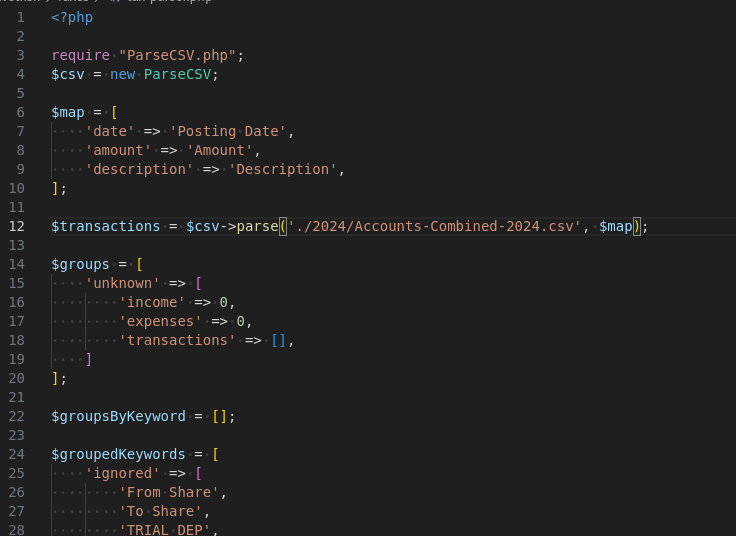
For years I've used a cobbled-together mess of spreadsheets and PHP regex scripts to itemize my business accounts. This year I decided to build something different: an open source, self-hosted financial tracking dashboard. I made the whole thing with Claude in a few days, and now anyone can use it or build their own.
⚠️ A note before we go further
EzTaxes is a personal project, not tax preparation software. It helped me organize my finances, but you should always consult a qualified tax professional before filing. AI tools are great for double-checking your work, but they're not a substitute for professional advice.
Mirror Mirror on the Wall

Here's the thing about vibe coding: AI tools are like a mirror. The more skilled the developer guiding the project, the better the output. Without domain knowledge and thorough testing, you'll build something that looks right but produces the wrong numbers.
Claude is great at generating boilerplate and maintaining consistency across dozens of files. It's less great at knowing that the IRS puts officer compensation on a different line than employee wages, or that Gusto sneaks summary rows into CSVs that'll silently double your payroll.
What Got Built
EzTaxes is a Laravel app that allows you to import data from Gusto, Coinbase, and CashApp. Three independent modules that never mix data: bank transactions with regex categorization, payroll from Gusto, and cost basis calculations for crypto and stocks.
The magic is the import system. Upload any CSV to one page and it figures out the rest. It auto-detects six different formats, finds the tax year from the data, skips preamble rows, and routes everything to the right module. One button and it's done.
Where Real Data Broke Things
My bank CSV had both "Description" and "Memo" columns. The auto-detect picked "Memo" because it came last in the loop. We switched to a two-pass priority system: exact matches first, then fallbacks.
Gusto puts "Grand totals" at the bottom of one report, "Total Report" at the bottom of another, and "All contractors" at the bottom of a third. Three different labels, all formatted like real data. Each one silently doubled my numbers.
The biggest lesson: you can't put payroll and bank data in the same table. Your bank shows one lump Gusto withdrawal. Gusto breaks that same money into wages, withholdings, and taxes. Import both, and you've doubled your expenses.
Then during TurboTax filing, I realized the 1120-S has separate lines for officer compensation and employee wages, so we added a toggle for that too. None of this was in the original spec.
Shipping It
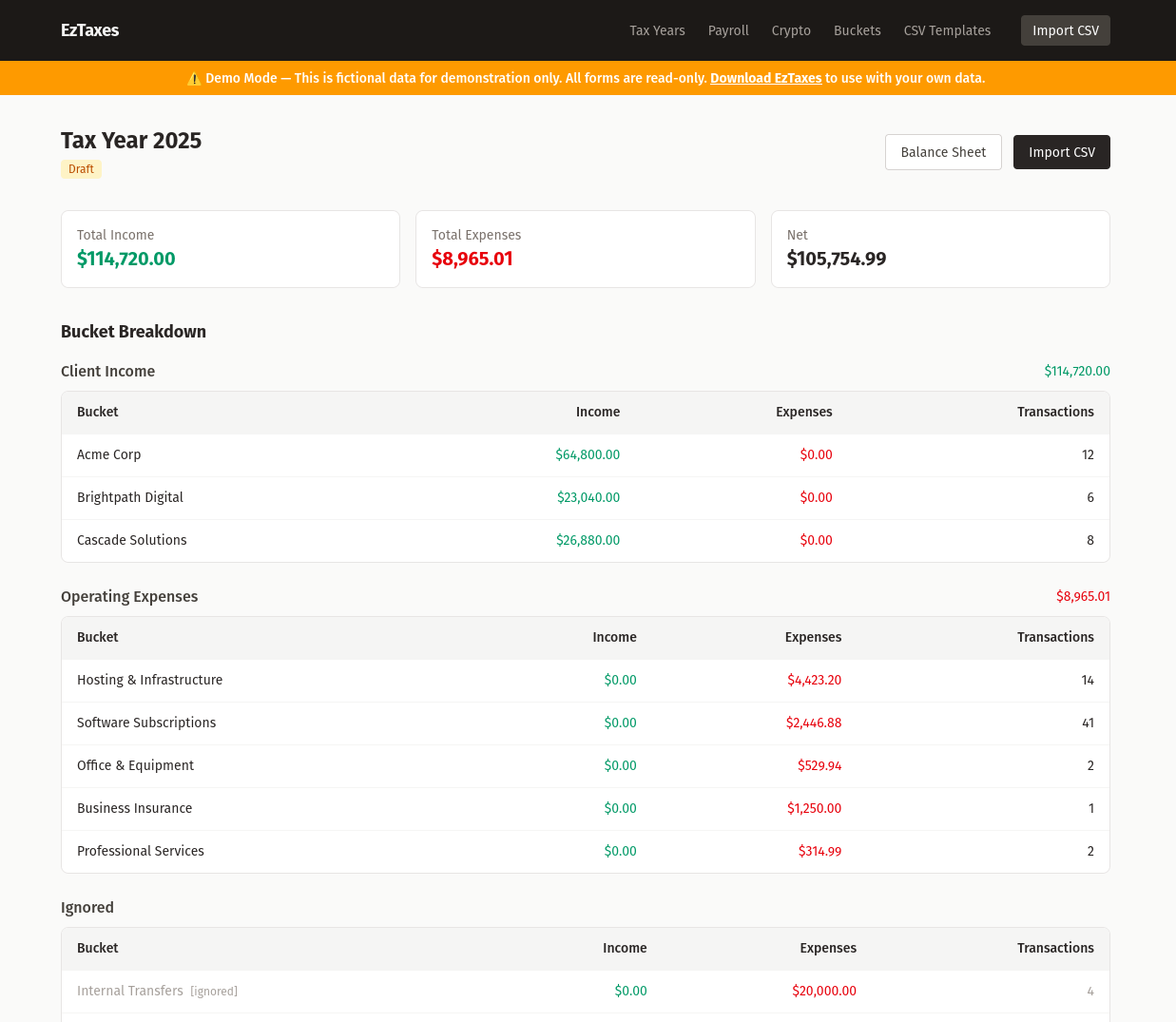
Before writing this post, I needed a demo that didn't expose my real finances. The solution: a read-only middleware that blocks every write operation in one class, a warning banner on every page, and a seeder with three years of fictional data for a fake company. The demo runs on SQLite since no database server is needed for a read-only site.
Little Gems
A few developer tips that fell out of this project:

localhost vs 127.0.0.1
MySQL tries a Unix socket for localhost. If your database is in Docker, there's no socket, so use 127.0.0.1 instead. This can prevent database exports with DBeaver or mysqldump.

Never use MySQL ENUMs
They're annoying to modify in production. String columns with documented values are a code change, not a migration.

sleep 1 between migrations
Add a sleep 1 between Laravel make:migration commands, or same-second timestamps will create foreign keys pointing at tables that haven't been created yet.

Clean numeric inputs server-side
People paste $50,000.00 into amount fields. A cleanNumeric() helper saves a whole class of validation headaches.
And You Can Too

Everyone's tax situation is different. If you buy and sell crypto and need to calculate cost basis, EzTaxes could be a useful tool for you out of the box. If you use Gusto for payroll, the import auto-detects your CSV and maps everything to the right tax lines.
What's your unique financial situation? Rental properties, stock options, a different payroll provider? You could open a PR or build your own version in a few days.
I didn't build this app with a single prompt. I kept feeding real data into the system and figuring out how it needed to change. Every CSV format had a surprise. The key was iteration. We kept importing more data into the mirror and seeing how it needed to be reflected.
Pretty good for a few days of vibe coding.
What's the Point?

There's a version of this story where AI replaces accountants. You upload your bank statements, the model does the math, and your taxes are filed before lunch. That's the pitch, anyway.
In practice, you'll spend days discovering edge cases that no prompt would have anticipated. Gusto uses three different labels for summary rows. Payroll shows up twice if you import both bank statements and Gusto reports. These aren't programming problems. They're domain knowledge problems, and they only surface when you test with real money.
AI made me dramatically faster at building the tool. It did not make me faster at understanding tax law. The value comes from the feedback loop: import data, notice something went wrong, figure out why, fix it, repeat.
If you're a developer who does their own taxes, this kind of project can save you real time and catch real mistakes. If you're not a developer, please hire a professional. The mirror only works if you know what you're looking at.